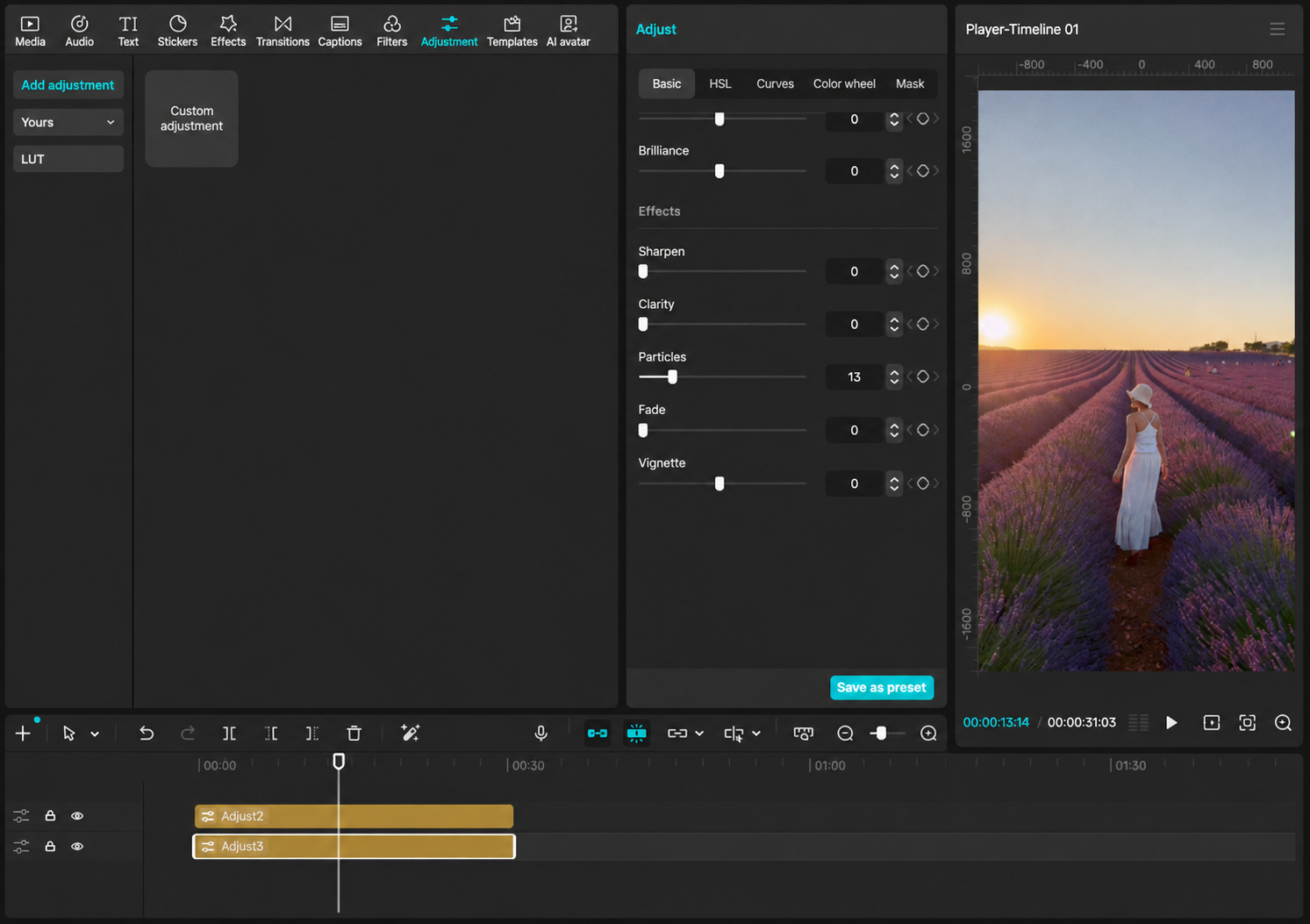
Add a little texture
Add another Custom adjustment layer above the LUT layer. Under Basic > Effects, raise Particles gently. The screenshot uses 13 as a starting point.
How to use
Use the recommended 33 files first. The full bilingual guide is included with your download.
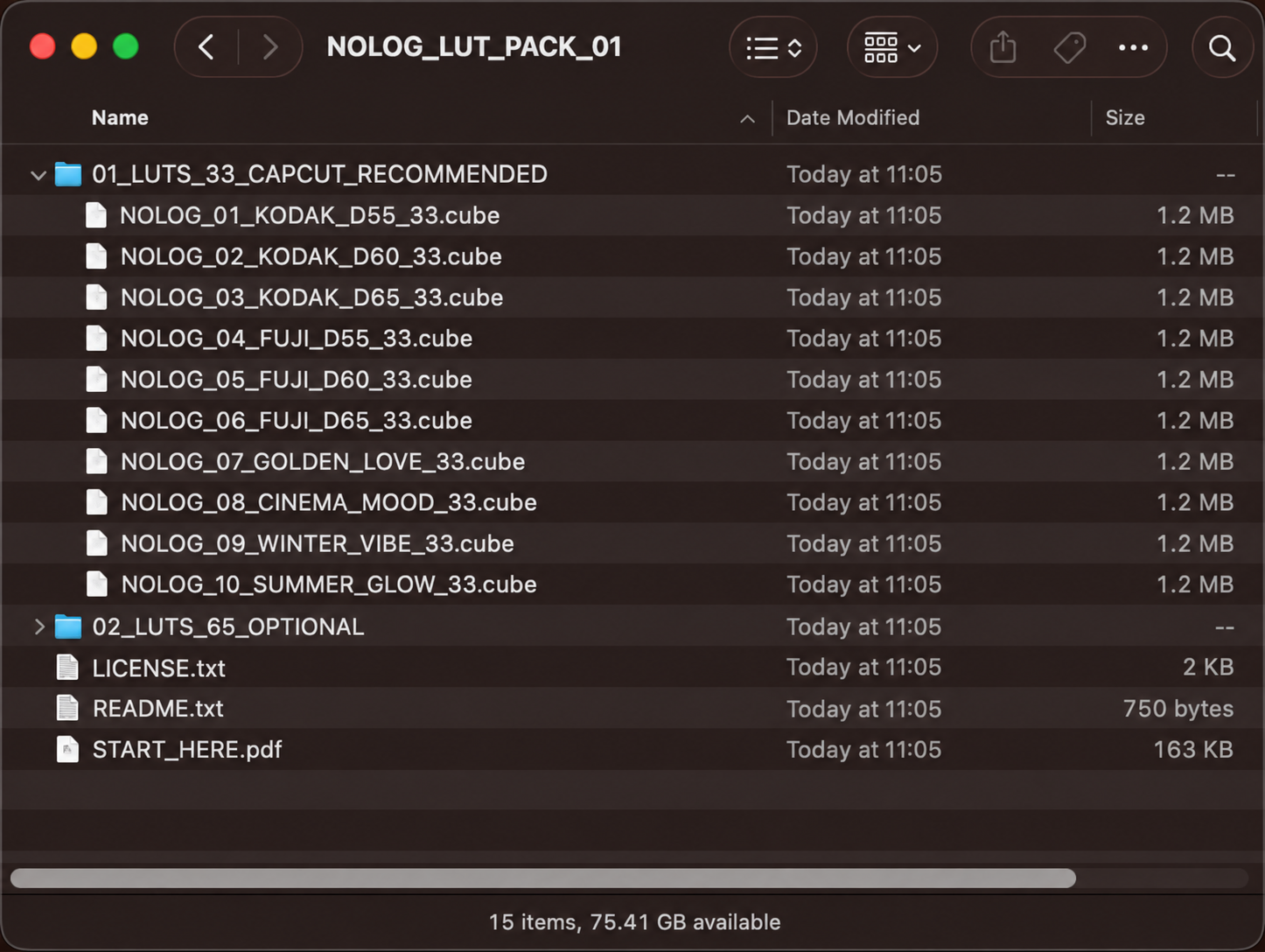
Unzip the download and open 01_LUTS_33_CAPCUT_RECOMMENDED.
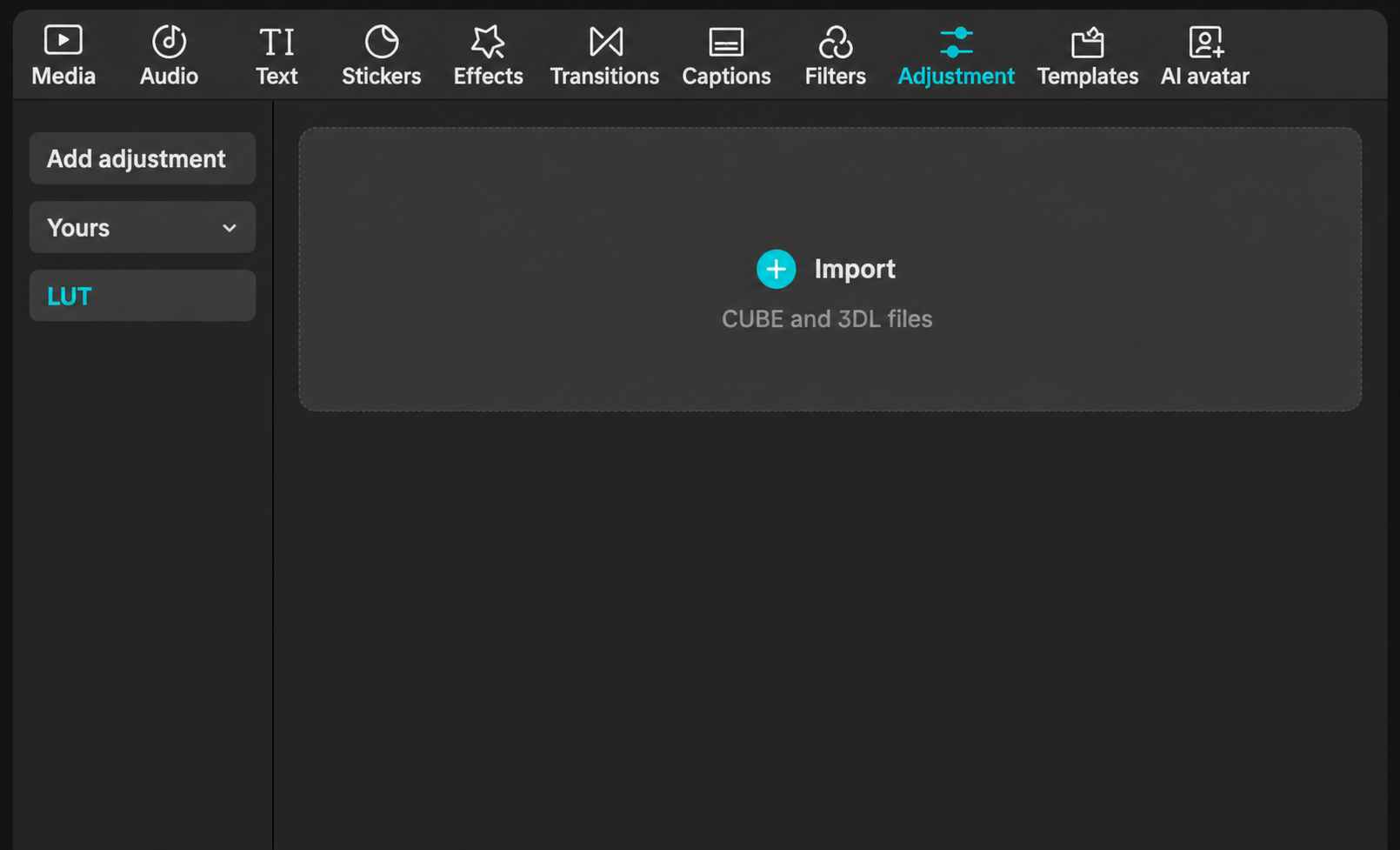
In CapCut Desktop, choose Adjustment > LUT > Import.
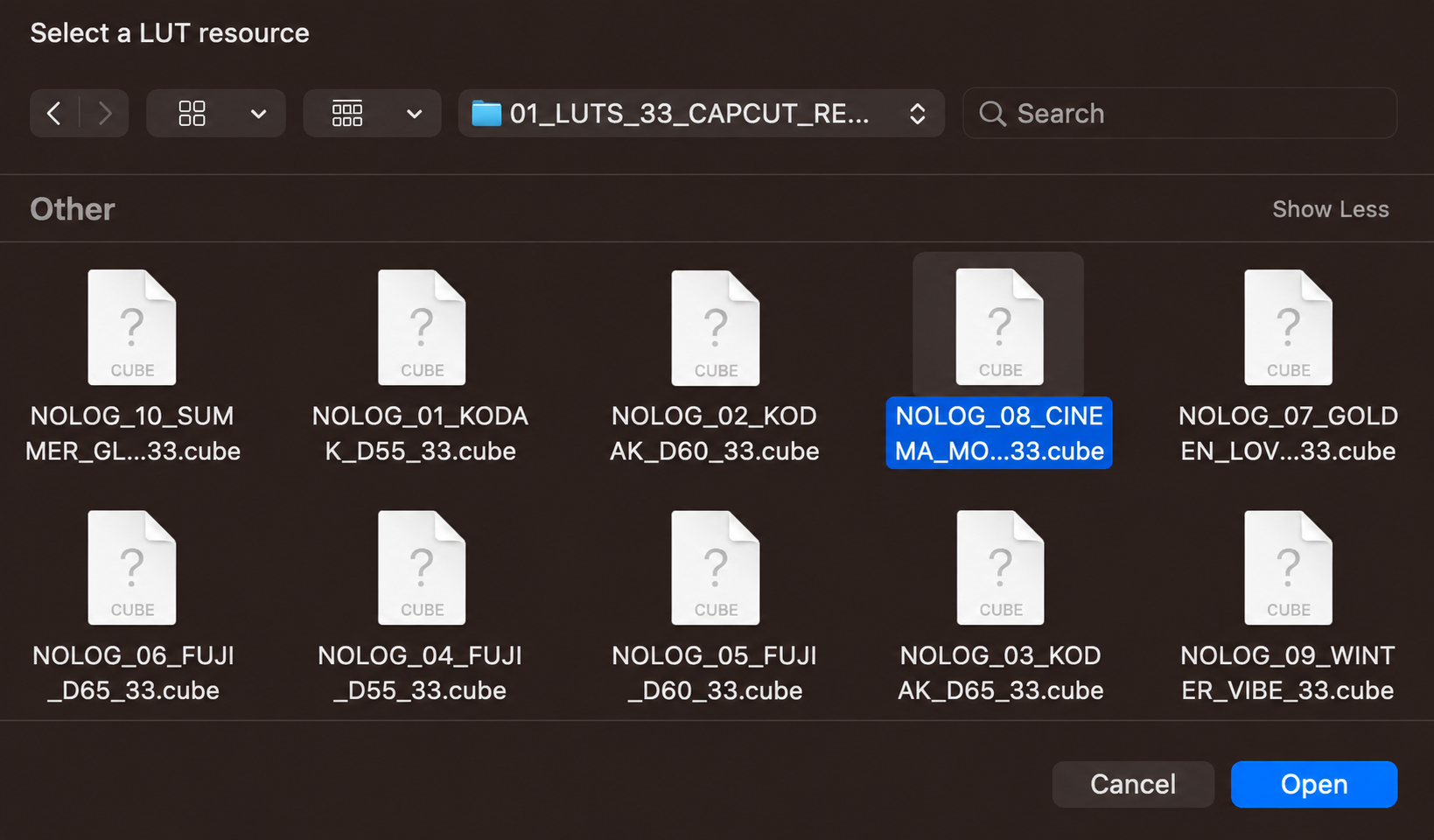
Select one .cube file ending in _33 and click Open.
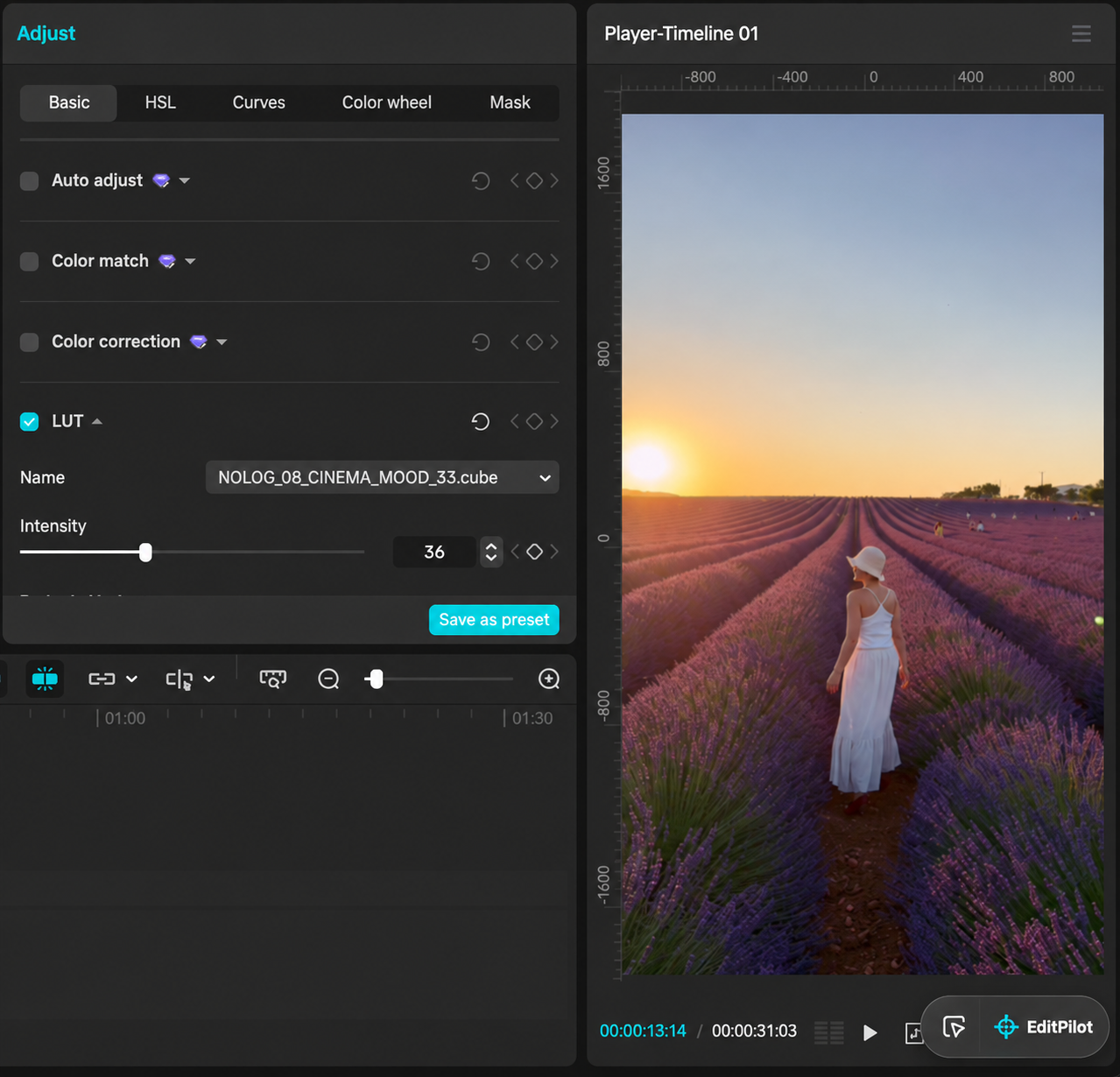
Use the LUT on an adjustment layer, then set the intensity for your clip. The 36 shown here is only an example.
Optional bonus
Add another Custom adjustment layer above the LUT layer. Under Basic > Effects, raise Particles gently. The screenshot uses 13 as a starting point.
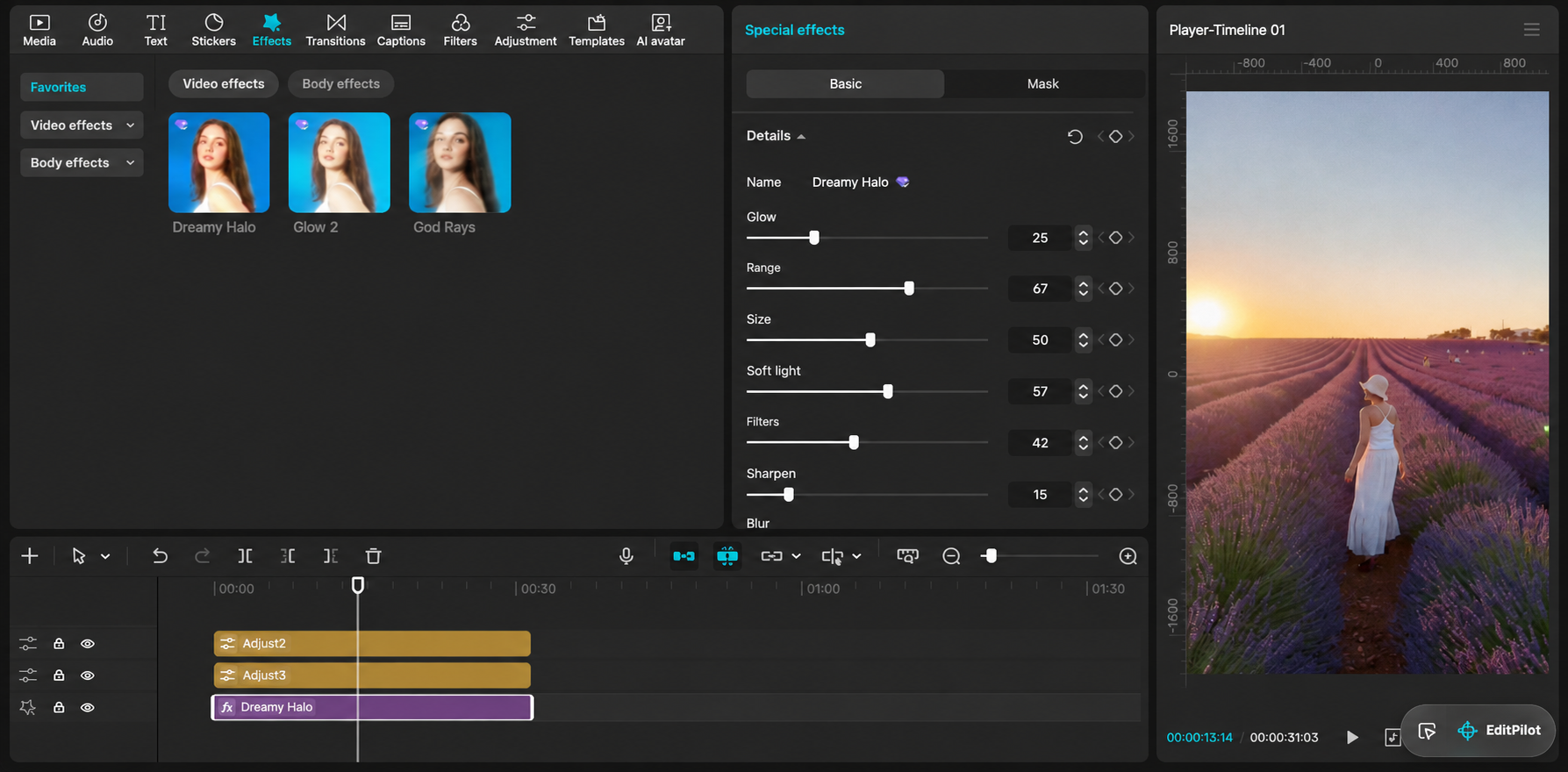
Open Effects > Video effects, search for Dreamy Halo, and place it above the footage. Adjust it until bright areas glow softly.
Dreamy Halo is marked Pro in the version shown and requires CapCut Pro. Effect names and availability can vary by version or region.